Pick a topic
Choose the chord, scale, or triad you want to learn.
GUITARRY
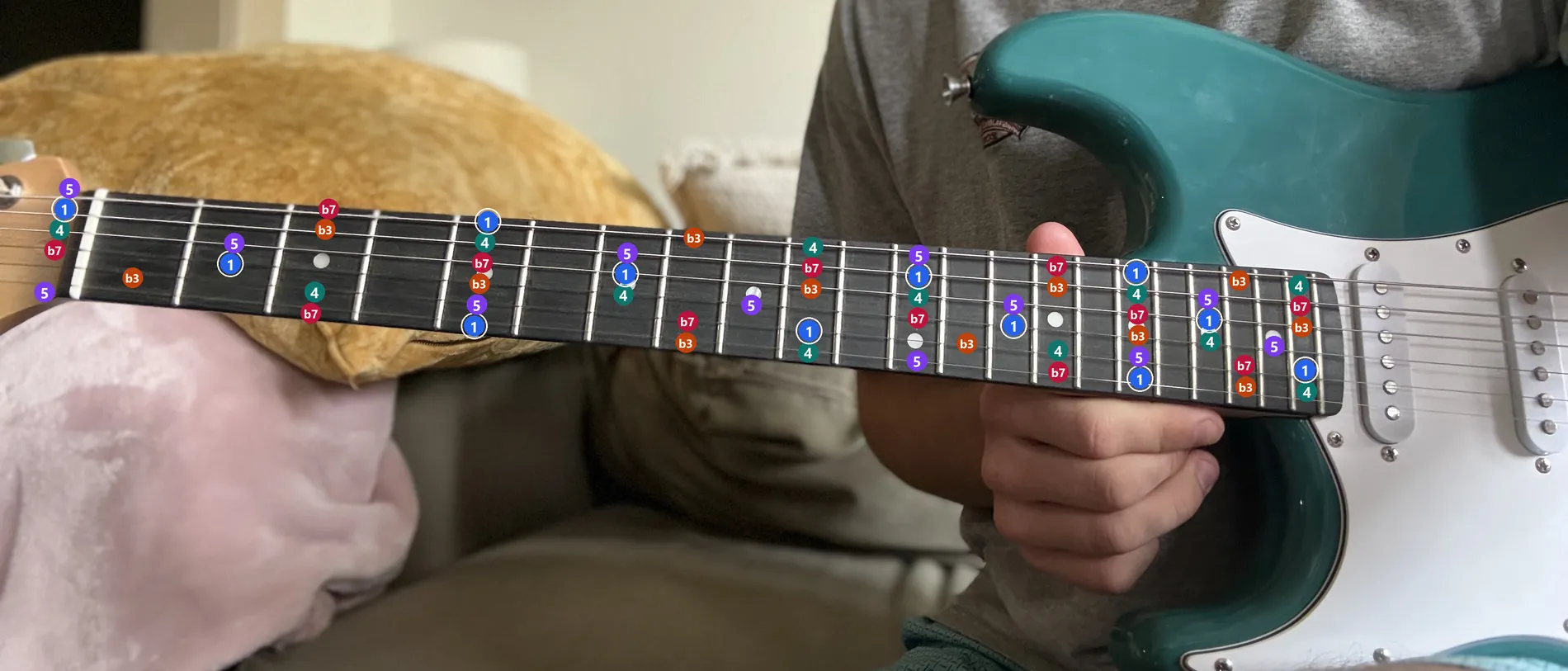
Live overlays directly on your guitar.
Guitarry overlays live chords, scales, triads, and much more right onto your fretboard for you to see.
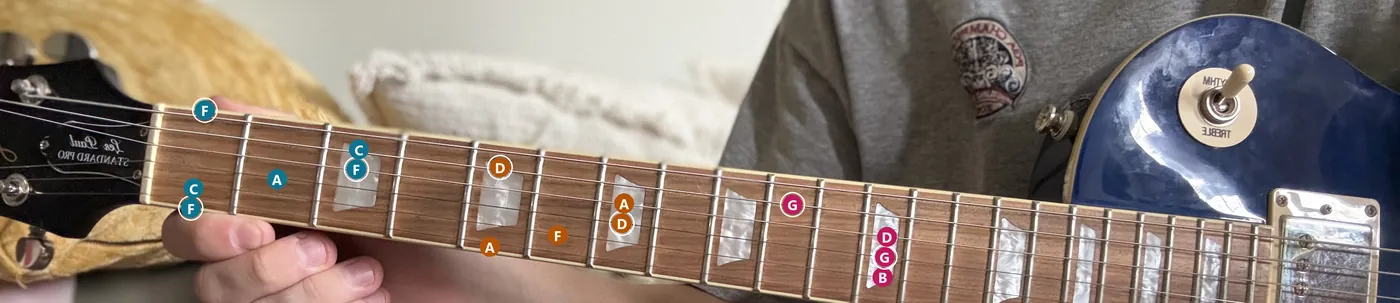 F majorD minorG major
 E majorC majorA minor
 A minor pentatonic
All you need is a laptop and your guitar.
Choose the chord, scale, or triad you want to learn.
Prop your guitar so the whole fretboard is in the camera.
The overlay draws on your strings. Play along, live, on your own guitar.
$9.99once
$9.99once
Comingsoon
What people ask before they download.
Yes — Guitarry is a Windows and Mac desktop app, not a browser tab. It reads your camera and draws the overlay on your own machine, which is what keeps the neck tracking in step with the picture instead of a round trip to a server.
A Windows PC or a Mac, an ordinary webcam or laptop camera, and somewhere to prop your guitar so the whole neck is in frame. No pedal, no interface, no clip-on hardware on the headstock.
No — that is the point. Pick a chord, scale, triad, or key and Guitarry puts it on the strings in front of you. You learn the shape by playing it on your own neck, not by memorising a diagram first.
Both. A beginner gets the fretboard demystified — where a shape actually lives, in the position they are already in. A player who knows their scales gets a much faster way to see a key across the whole neck and find ideas outside their usual box.
Tabs and videos make you look away from the guitar and translate. Guitarry puts the information on the instrument you are already holding, at the size and angle you are already seeing it, so your eyes stay on your hands.
Any standard six-string, acoustic or electric — including a beat-up practice guitar. Guitarry knows the difference and draws the electric's full 22 frets or the acoustic's playable range. Bass, ukulele, and 7+ strings are not supported yet.
No. Guitarry has a string flip and a mirrored camera view, and it remembers the setting, so a left-handed neck is set up once and then stays that way.
Not yet. Guitarry is a desktop app for Windows and Mac today, and mobile is planned — the camera tracking and the overlay have to be right on desktop first.
Nowhere. Frames are processed on your computer to find the fretboard and are never uploaded or kept, and your tabs and practice work stay in a folder on your machine. Microsoft and Apple handle the purchase; Guitarry never receives your playing or payment-card details. The specifics are in the privacy policy.
Guitarry costs $9.99 once — on the Microsoft Store for Windows, or the Mac App Store for macOS. It is the same app and the same price on both, bought once per store. You buy it once and it stays yours, with every update included. There is no subscription, and the store shows any applicable tax before you buy.
There is no preview period. The store is the purchase step, and every feature is unlocked as soon as it installs. Refund requests are handled under the refund policy of the store you bought from — Microsoft’s or Apple’s.
Email [email protected] with any other questions you may have.